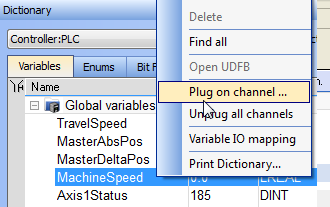
Figure 10-29: Plugging a Probe from the Dictionary
-
-
This command is enabled if the type of variable is eligible for the softscope (i.e. BOOL, INT, SINT, DINT, LINT, UINT, USINT, UDINT, ULINT, BYTE, WORD, DWORD, LWORD, TIME and LREAL, as long as they are not in a UDFB instance).
When you want to plug a probe to a variable in an array or a structure, you have to navigate with the Variable Selector (see more details here).
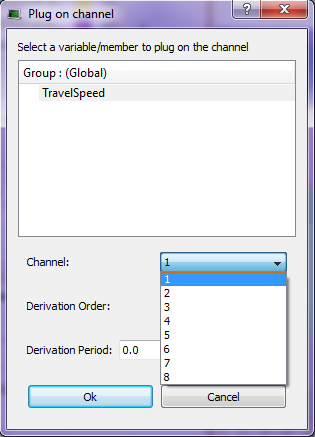
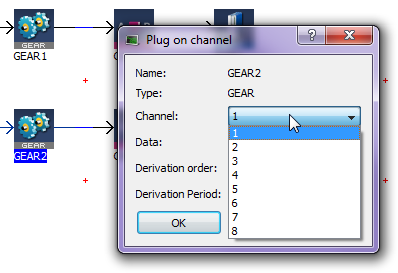
Figure 10-30: Methods for associating a Variable to a Channel
| Field | Description |
|---|---|
| Name | Variable's name |
| Type | Variable's type |
| Channel | Channel's number where the variable has to be plugged |
| Data | Desired variable information to show (the list depends on the type of Pipe Block. See Pipe Blocks Description for more details) |
| Derivation order | Performs a derivation of the measurement of the selected variable. If this value is different from 0, the derived value of the selected order is shown on the selected channel |
| Derivation Period | Specifies the modulo period for a periodic variable to remove spikes in the display of derivative orders greater than zero. The value entered should either be 0.0 (No Modulo) or the Modulo Period (eg. 360.0). |


